Delegations
Delegations let an approver temporarily hand their approval responsibilities to another user for a fixed date range. Useful for annual leave, travel, or medical absence.
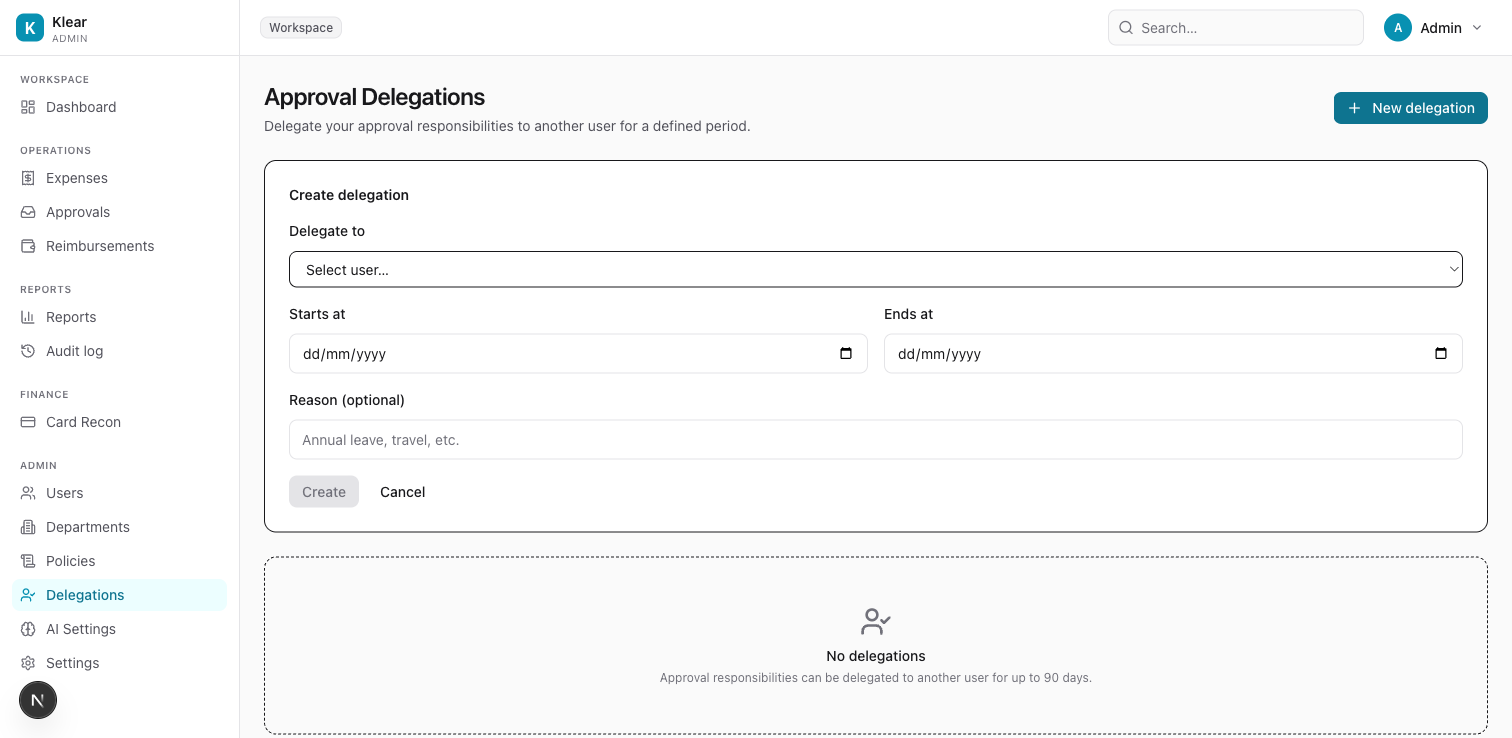
Create a delegation
Click + New delegation to open the form.
| Field | Required | Notes |
|---|---|---|
| Delegate to | Yes | The user who will receive your approvals. Must be an Approver, Admin, or Owner. |
| Starts at | Yes | Date the delegation becomes active (inclusive) |
| Ends at | Yes | Date the delegation expires — maximum 90 days from start |
| Reason | No | Optional note (e.g. "Annual leave", "Conference travel") |
Click Create. The delegation is active from midnight on the start date.
What happens during a delegation
- All approval requests that would normally go to you are automatically routed to the delegate instead
- The delegate receives email notifications exactly as you would
- The original approver can still act on any expense during the delegation period
- The delegation appears in the list with its active date range and status
Edit or cancel a delegation
Find the delegation row and click the edit icon to adjust the end date. To cancel immediately, click the delete icon — this re-routes all pending approvals back to the original approver instantly.
Cancelling a mid-period delegation re-routes pending approvals immediately. Make sure your delegate is aware before cancelling.
Rules and limits
- Only one active delegation per approver at a time
- Cannot delegate to yourself
- Maximum duration is 90 days
- The delegate must have a role of Approver, Admin, or Owner
Who can create delegations
Any user with the Approver, Admin, or Owner role can create a delegation for themselves. Admins and Owners can also create delegations on behalf of other approvers from this page.